API testing in VS Code with runnable Markdown specs
How the Reqbook VS Code extension lets you preview, validate, run endpoints and flows, and inspect API test results without leaving your editor.
API testing in VS Code works best when the thing you run is the same thing you review. That is the reason Reqbook added a VS Code extension instead of treating the editor as a separate surface from the API workspace.
The extension keeps the workflow narrow: open a Markdown API spec, preview it, validate it, run it through the local rqb binary, and inspect the result beside the file. You do not have to copy a curl command from docs into a terminal, paste a response back into a pull request, or switch to a separate UI just to check whether a contract still holds.
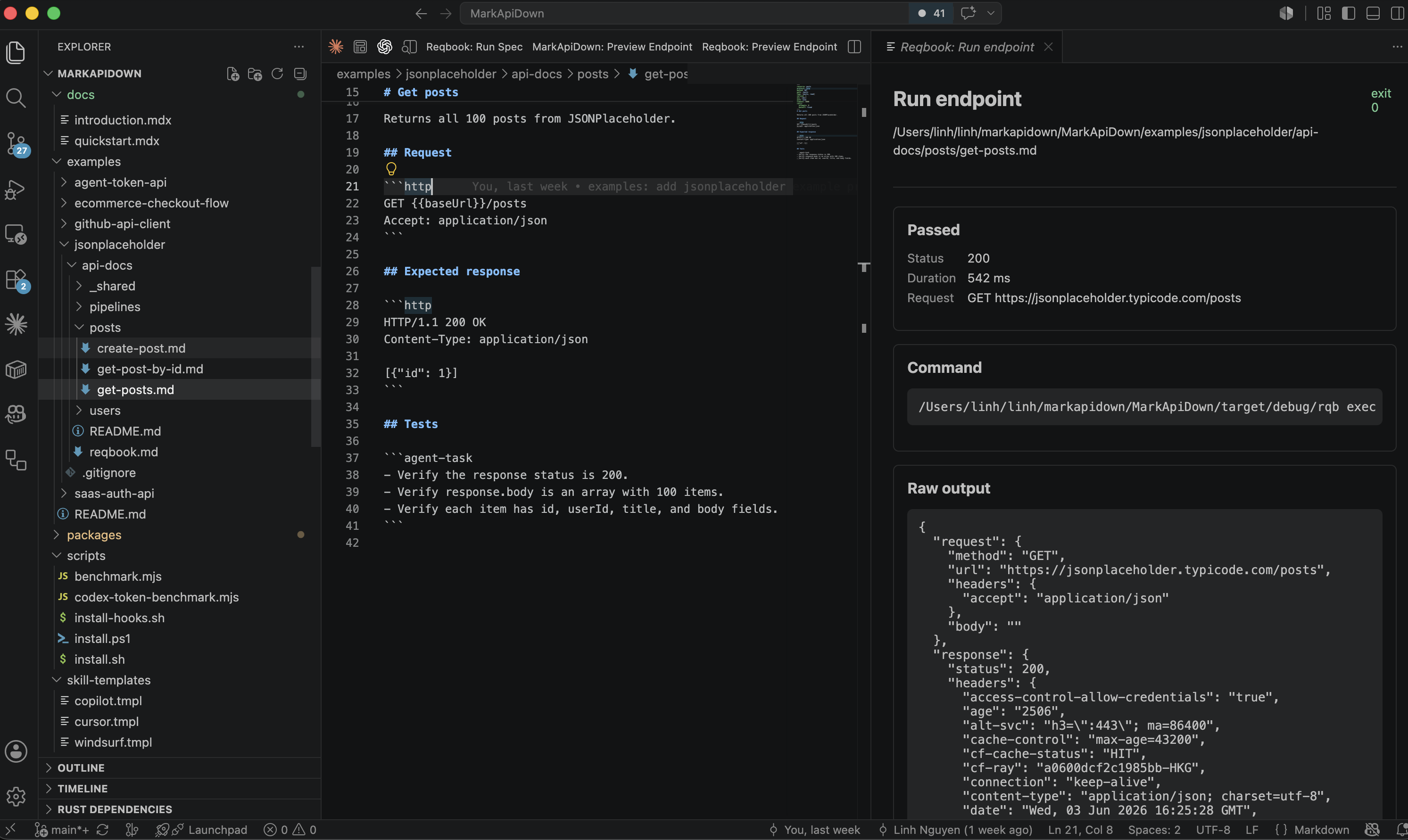
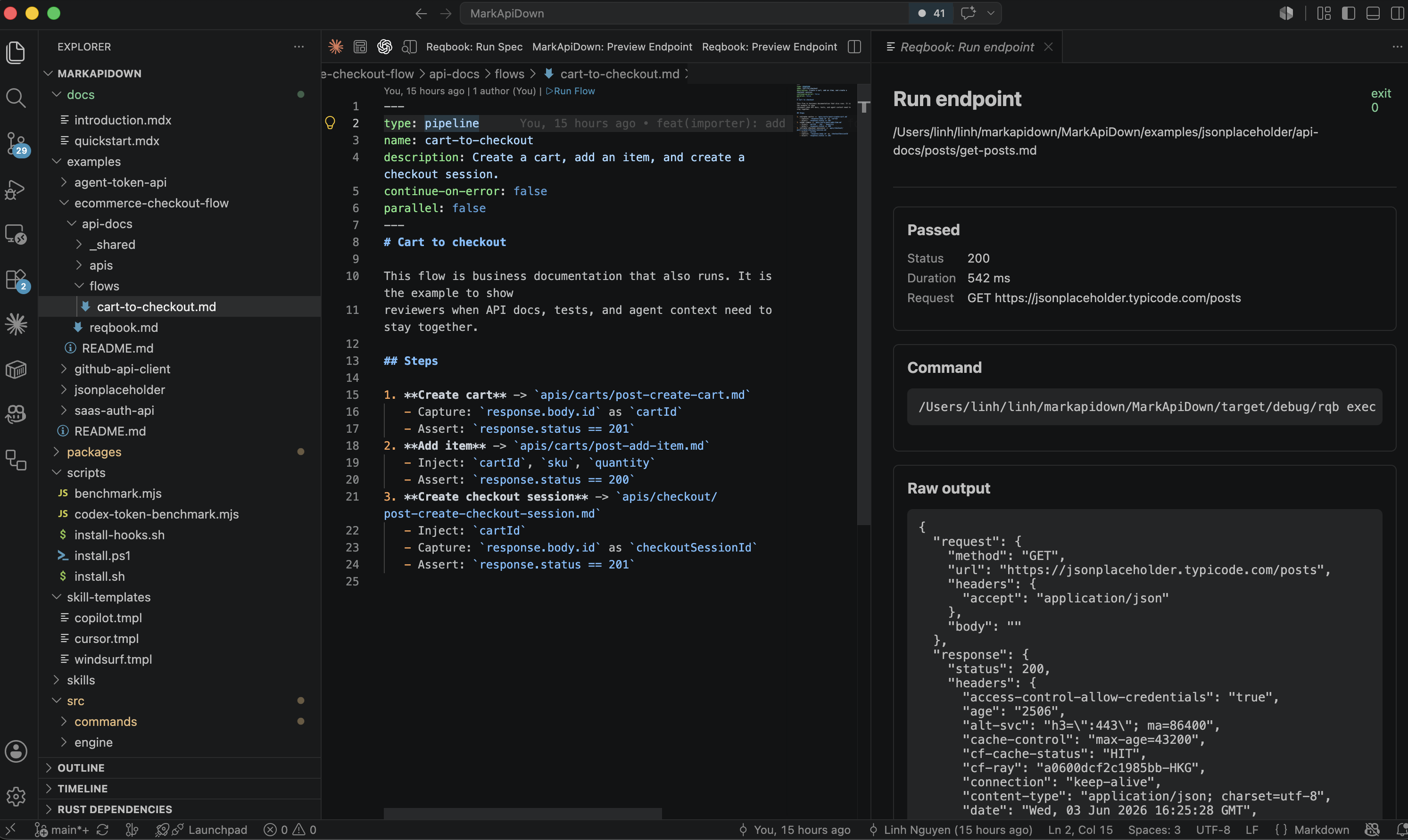
The demo below shows the actual editor loop: a Markdown API spec on the left, a run result panel on the right, and the same CLI execution model underneath.
The editor is where the contract changes
Most API bugs that survive code review are not mysterious. They happen because the request example, response example, test, and implementation drift apart.
That drift is easier to catch when the contract lives in the same editor as the route handler. A developer can update the backend code, open the corresponding api-docs/ file, change the expected response, and run the spec before the pull request leaves the branch.
The VS Code extension is built around that loop:
- Open a Markdown endpoint spec or flow file.
- Use the inline run button or Command Palette.
- Let
rqb execorrqb flowrun against the selected environment. - Read the status, timing, diff, assertions, and raw output in a result panel.
- Commit the Markdown contract with the code change.
The important detail is that VS Code does not become the source of truth. The Markdown file still does. The extension is just a faster way to run the repo-native contract while you are already editing it.
What the extension detects
The extension only shows run controls when the current Markdown file is runnable.
Endpoint specs inside api-docs/ with method: and path: frontmatter show Run Endpoint. Flow and pipeline specs under api-docs/flows/ or api-docs/pipelines/ show Run Flow. Collection files such as api-docs/reqbook.md, README.md, and _shared/env.md do not show run buttons.
That behavior matters because it keeps the editor quiet. A documentation file should not look executable just because it is Markdown. A runnable API contract should be obvious.
The extension adds two entry points for runnable files:
- a CodeLens button at the top of the editor,
- a Run button in the editor title bar.
The command behind both is Reqbook: Run Spec. The extension decides whether to call rqb exec or rqb flow based on the current file.
Running an endpoint from VS Code
For an endpoint spec, the extension saves the current file and calls:
rqb exec path/to/spec.md --env dev --output jsonThe environment comes from the reqbook.env setting, which defaults to dev. The binary path comes from reqbook.rqbPath, which defaults to rqb.
That means the extension uses the same execution engine as the CLI and CI. There is no special VS Code-only runner and no hidden workspace state. If the same spec passes in VS Code, it can pass in CI with the same command shape.
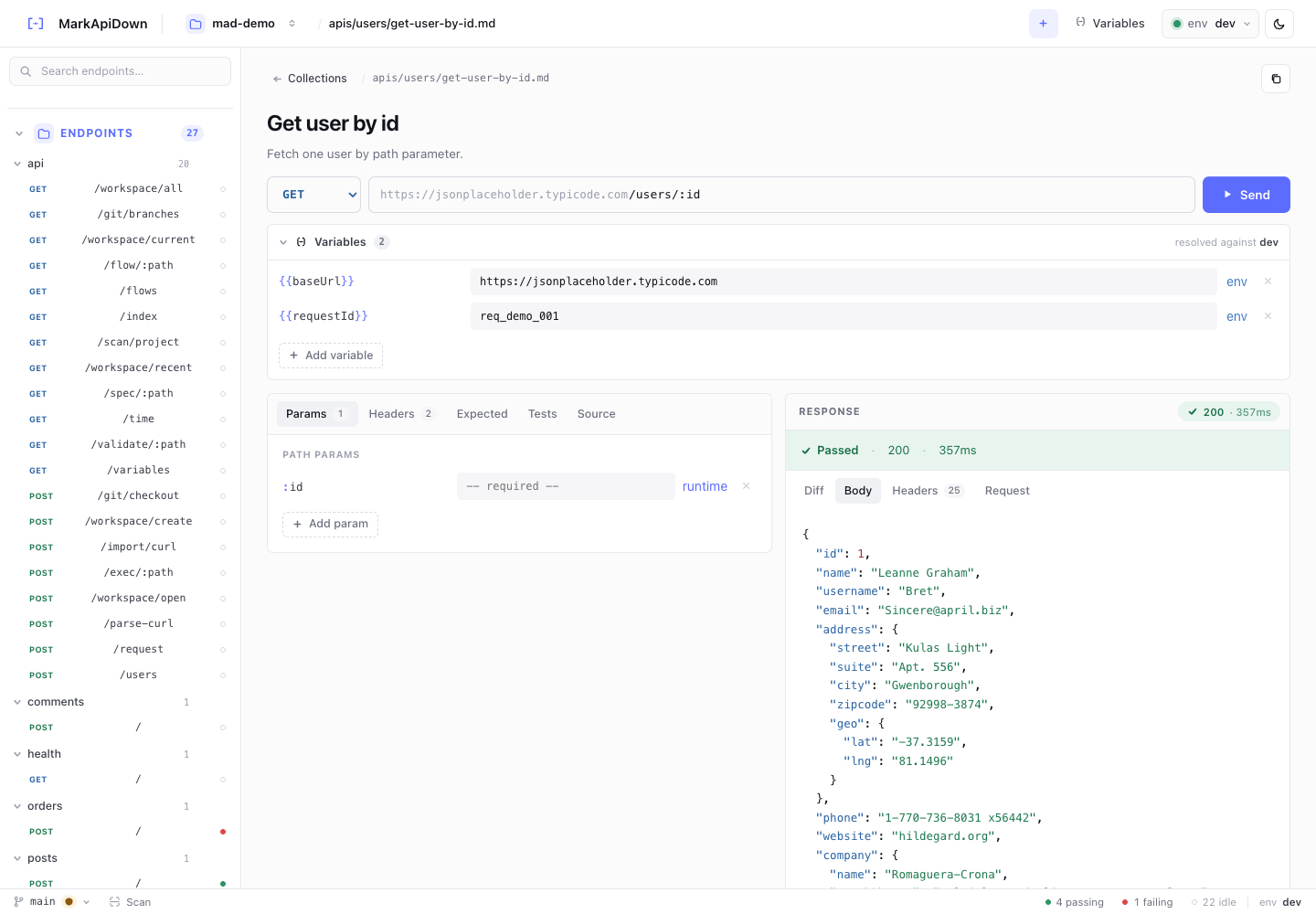
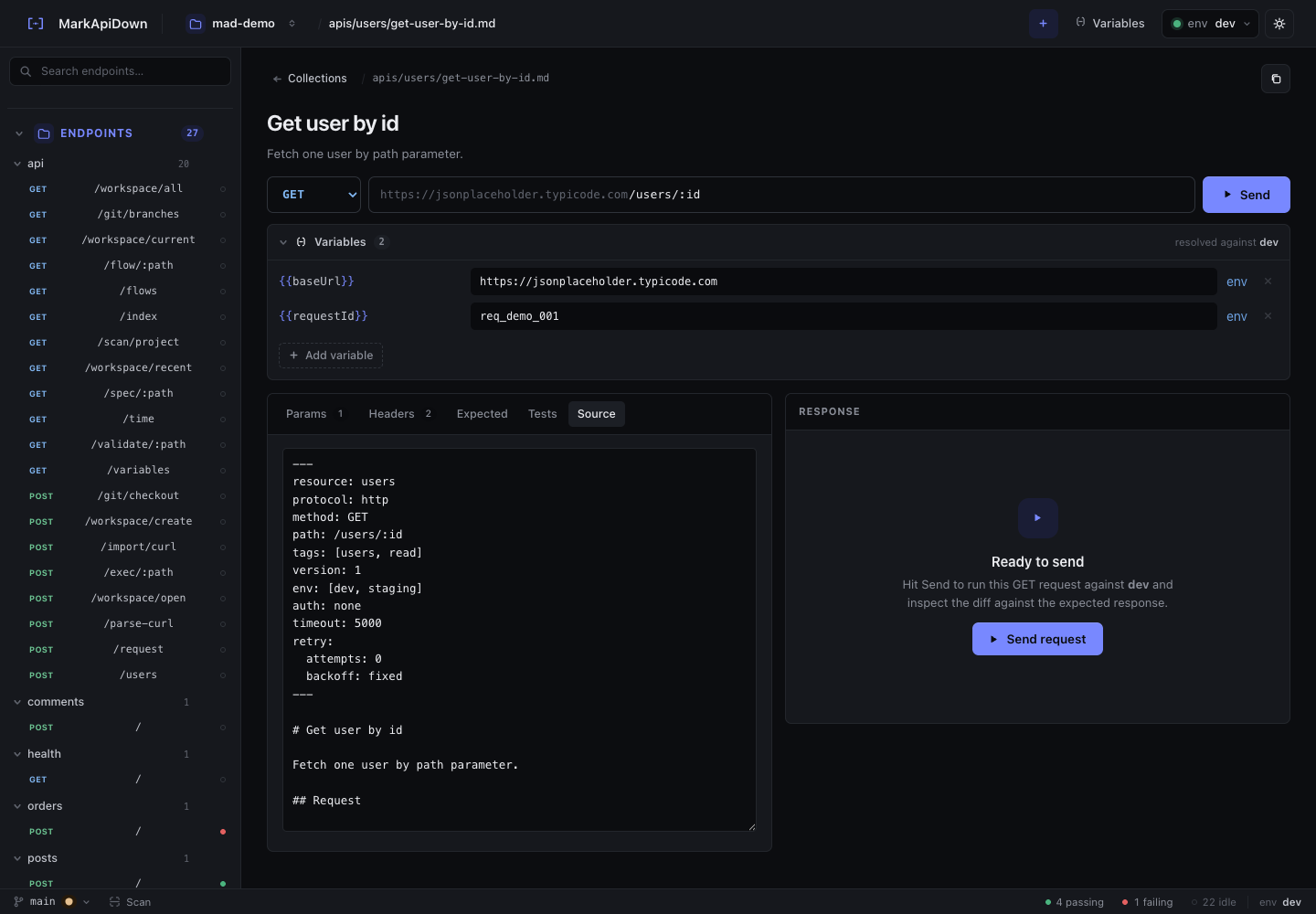
A typical endpoint contract looks like this:
---
resource: users
method: GET
path: /users/:id
env: [dev, staging]
---

# Get user by id

## Request

```http
GET {{baseUrl}}/users/:id
Accept: application/json
X-Request-Id: {{requestId}}
```

## Expected response

```http
HTTP/1.1 200 OK
Content-Type: application/json

{
  "id": 1,
  "email": "ada@example.test"
}
```

## Assertions

- status: 200
- body.id: exists
In VS Code, the file stays readable as documentation. The extension turns it into a local API test at the moment you run it.
Running flows and pipelines
Endpoint tests are useful, but the better bug detector is often a flow: create a user, log in, create an order, receive a webhook, and verify the final state.
For files under api-docs/flows/ or api-docs/pipelines/, the VS Code extension runs:
rqb flow path/to/flow.md --env dev --output jsonThe result panel summarizes steps, captures, failures, and raw output. That is enough for quick debugging inside the editor. For deeper visual editing of a multi-step flow, the browser UI remains the better tool because it has the flow canvas. The VS Code extension is best for the fast edit-run-check loop.
This split is intentional:
| Surface | Best job |
|---|---|
| VS Code extension | Run the file you are editing and inspect a compact result. |
| Browser UI | Visually edit requests, responses, variables, and flow graphs. |
| CLI | CI, scripts, imports, exports, and automation. |
| MCP tools | Let coding agents search and execute specs through structured tools. |
The Markdown file connects all of those surfaces.
Validate before you run
The extension also contributes Reqbook: Validate Current File.
Validation is not the same as execution. Validation catches contract mistakes before the extension sends a request:
- invalid or missing frontmatter,
- malformed request blocks,
- unresolved or suspicious values,
- response examples that cannot be parsed,
- flow files with missing steps.
This is useful during authoring because many mistakes are local file problems, not API problems. If validation fails, fix the Markdown first. If validation passes and execution fails, then inspect the API behavior or environment.
That separation makes the result easier to understand. You do not waste time debugging a staging response when the request block is malformed.
The result panel is the review artifact
When reqbook.resultPanel is enabled, the extension opens a Reqbook Results panel beside the editor. For endpoint runs, it shows:
- pass or fail,
- response status,
- duration,
- request method and URL,
- response diff,
- assertion results,
- the exact command,
- raw output.
For flow runs, it shows the step list, pass/fail state, captures, and raw command output.
The goal is not to replace every terminal log. The goal is to give the developer a compact answer while the Markdown file is still on screen. If the contract changed intentionally, update the spec and rerun. If the contract should not have changed, fix the implementation.
That loop is especially useful in pull requests because the final artifact is still a diffable Markdown file. Reviewers can see the changed API expectation, not just a screenshot of a successful local run.
Settings that matter
The extension depends on the local rqb binary. If VS Code cannot find it through the process PATH, set an absolute path:
{
  "reqbook.rqbPath": "/Users/you/.cargo/bin/rqb",
  "reqbook.env": "dev"
}
For monorepos or unusual layouts, set reqbook.apiDocsRoot so the extension can find the correct api-docs/ directory. If you prefer the output channel over the webview result panel, set reqbook.resultPanel to false.
The default setup is deliberately small:
- install
rqb, - install the extension,
- open a repo with
api-docs/reqbook.md, - open a runnable spec,
- run or validate it.
There is no account, hosted workspace, or project sync step.
A practical pull request workflow
For a backend change, use the VS Code extension like this:
- Change the route handler or schema.
- Open the matching Markdown spec under
api-docs/. - Run
Reqbook: Validate Current File. - Run
Reqbook: Run Spec. - If the behavior changed intentionally, update the expected response or assertions.
- If the behavior changed accidentally, fix the implementation.
- Commit the code and Markdown together.
For larger behavior, add or update a flow and run it from VS Code once. Then run the same flow in CI.
This is the main advantage of API testing in VS Code with Reqbook: the editor can stay fast and local, while the contract remains portable across CLI, CI, browser UI, and coding agents.
For the broader Markdown testing model, read Markdown API testing that runs. For CI usage, continue with CI API testing with Markdown specs or jump to the install section.