API workflow notebook for agentic API testing
Learn the API workflow notebook pattern: repo-native Markdown files that keep API docs, requests, tests, flows, and coding-agent context in sync.
Most API workflow pain is not about sending a request. It is about everything around the request.
The docs live in one README. The real payload shape lives in the backend. The manual test lives in a GUI collection. The CI check lives in a shell script. The coding agent gets dropped into the middle of that split workflow and starts rediscovering the same route, auth rule, and expected response from scratch.
An API workflow notebook fixes that by treating the API contract as a repo-owned file that humans, CI, and coding agents can all use. The file explains the endpoint or flow, shows the request, records the expected response, lists the assertions, and keeps the operational notes close to the code.
What is an API workflow notebook?
An API workflow notebook is a small, reviewable file for one API endpoint or product flow. It combines documentation, runnable request data, expected response shape, assertions, variables, and workflow notes in a format that can live in Git.
The useful part is not the word “notebook.” The useful part is the operating model:
- A developer can read the file before changing the endpoint.
- A reviewer can diff the contract in a pull request.
- CI can execute the same contract against dev or staging.
- A coding agent can use the file as bounded API context instead of guessing from source code.
That makes an API workflow notebook different from a passive docs page, a one-off curl command, or a GUI-only saved request. It is meant to be documentation, verification, and agent context at the same time.
If you already use API docs as code, the notebook pattern is the next step: make the docs executable enough to catch drift.
Why API workflows drift
Most teams already have the pieces needed to describe an API, but the pieces are scattered:
| Artifact | What it does well | Where drift appears |
|---|---|---|
| README example | Easy for humans to scan | Usually not executed |
| GUI collection | Good for manual exploration | Hard to review in pull requests |
| OpenAPI file | Broad schema coverage | Often too broad for day-to-day workflow context |
| Shell smoke test | Fast in CI | Too terse to explain the contract |
| Chat prompt | Useful once | Stale as soon as the route changes |
The result is a familiar failure mode. The handler changes, the docs remain old, the GUI collection gets updated later, and the CI check only covers the happy path. Then a developer or agent copies the wrong example and the team spends another review cycle reconstructing intent.
An API workflow notebook compresses that surface area. The contract lives in the same review loop as the implementation.
What belongs in an API notebook?
A good notebook file should be boring and explicit. It should answer the questions developers keep asking during implementation:
- What is this endpoint or flow for?
- What request shape should be sent?
- Which variables or auth values does it need?
- What response shape counts as correct?
- Which assertions should fail the check?
- What downstream workflow depends on this behavior?
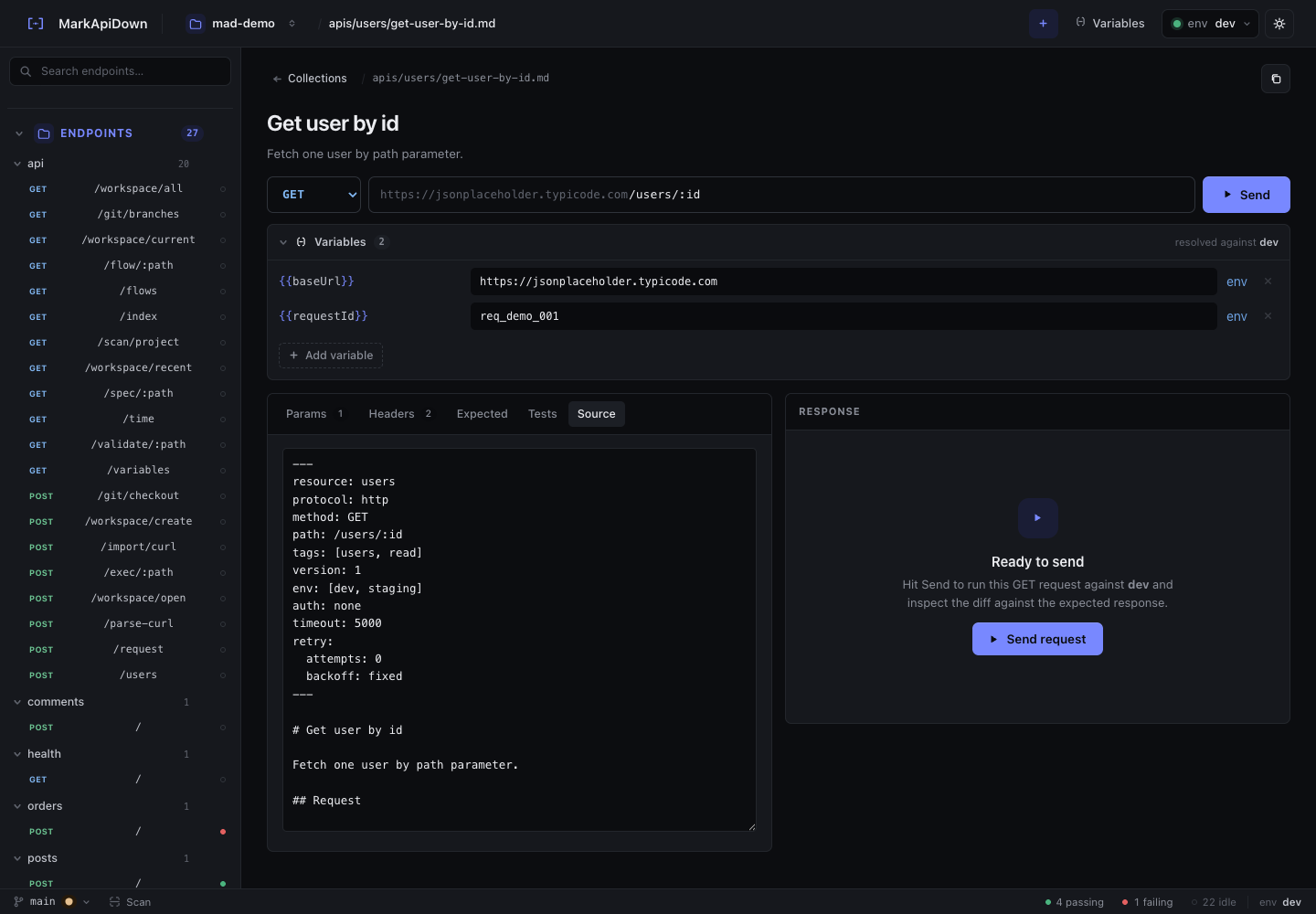
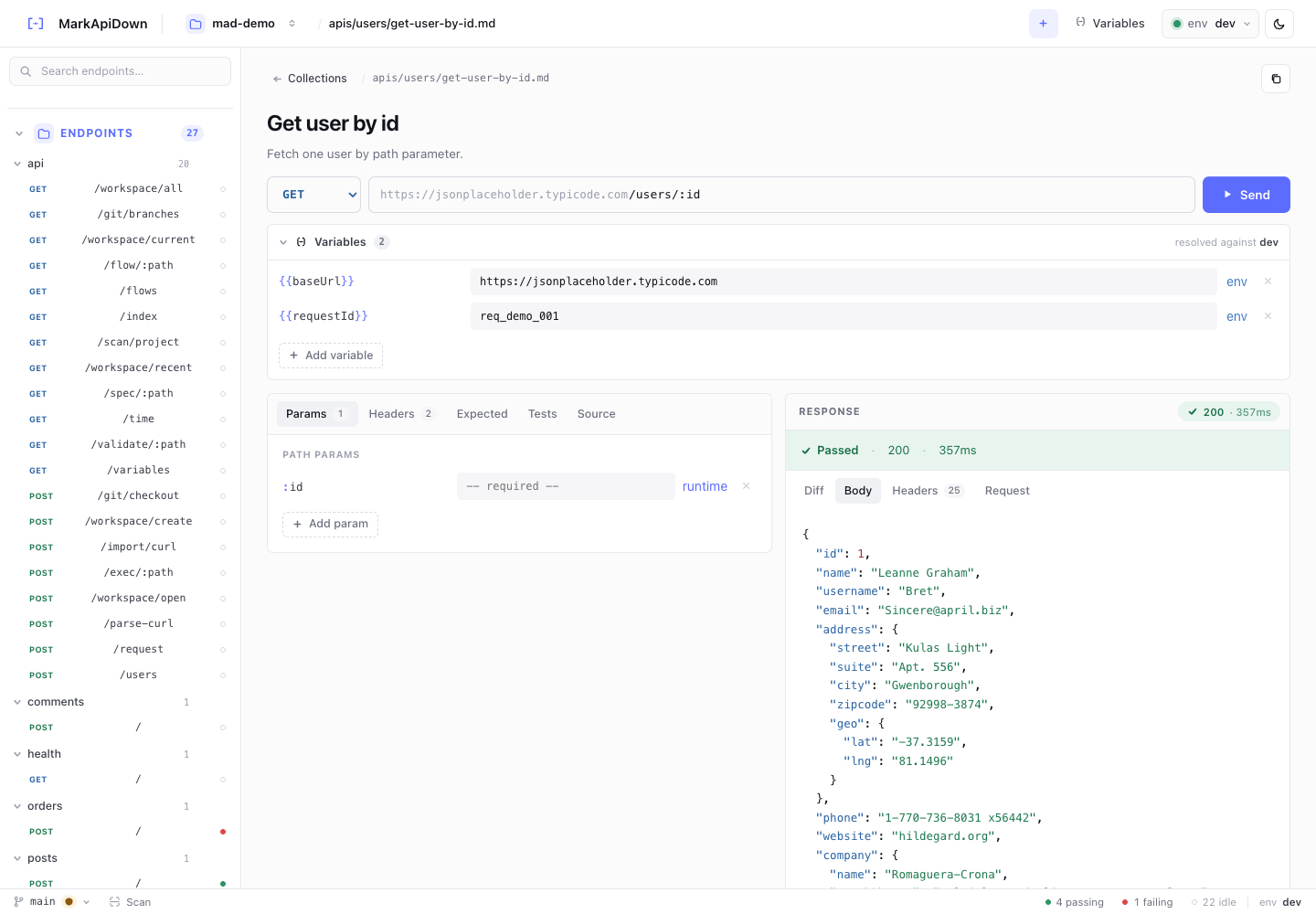
A minimal endpoint notebook can look like this:
# Create checkout session

Creates a hosted checkout session for an open cart.

## Request

```http
POST {{baseUrl}}/checkout/sessions
Content-Type: application/json
Accept: application/json
Authorization: Bearer {{authToken}}

{
  "cartId": "{{cartId}}",
  "successUrl": "https://example.test/success"
}
```

## Expected response

```http
HTTP/1.1 201 Created
Content-Type: application/json

{
  "id": "{{checkoutSessionId}}",
  "cartId": "{{cartId}}",
  "status": "ready"
}
```

## Assertions

- status: 201
- body.id: exists
- body.cartId: equals "{{cartId}}"
- body.status: equals ready

## Notes

- Requires an authenticated customer session.
- Fails with 409 when the cart is already checked out.
That is enough for a reviewer to understand the behavior, enough for CI to run a check, and enough for a coding agent to stop guessing.
How the pattern changes pull request review
The biggest workflow change is not the command line. It is the pull request.
When API behavior changes, the contract change should appear beside the implementation change. A reviewer should not need to ask whether the docs, examples, or smoke tests will be updated later.
For example, a response status change becomes visible as a contract diff:
 ## Expected response
 {
   "id": "{{userId}}",
   "email": "{{email}}",
-  "status": "pending_verification"
+  "status": "active"
 }
That diff explains the API behavior change in a way a route handler diff often does not.
The local loop can stay small:
rqb validate api-docs/
rqb exec api-docs/apis/checkout/post-create-session.md --env dev
rqb flow api-docs/flows/cart-checkout.md --env dev
Validation catches malformed specs before a network request is sent. Endpoint execution checks one contract. Flow execution checks the product journey that depends on several endpoints.
For the CI version of this loop, read CI API testing with Markdown specs.
Why coding agents need this shape of context
Coding agents are strong at reading files. They are weaker at inferring scattered workflow state.
If API behavior is split across handler code, environment docs, collection tabs, and old chat context, the agent spends its context window reconstructing the contract. It may still complete the task, but it does so with unnecessary ambiguity.
An API workflow notebook gives the agent a bounded contract:
- request method, URL, headers, and body,
- variables and environment names,
- expected response status and shape,
- assertions that define success,
- notes about business rules and failure cases,
- nearby flow context.
That does not make the agent magic. It makes the task less ambiguous.
This is especially useful when the agent needs to update an endpoint, change an auth rule, inspect a failed CI run, or explain which flow depends on a response field. For a deeper agent workflow, read API testing for coding agents or the focused Claude Code API testing guide.
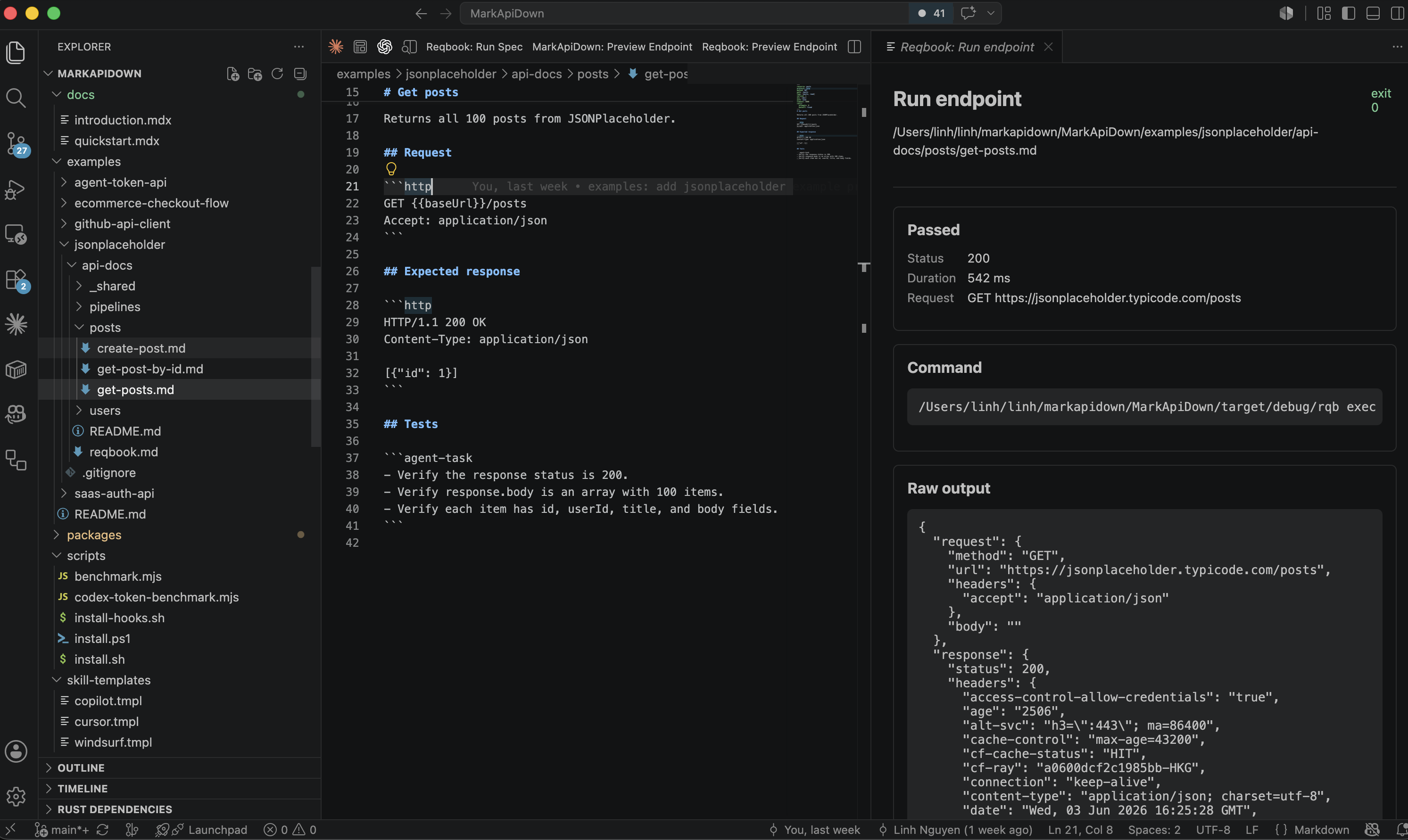
Where Reqbook fits
Reqbook is one implementation of the API workflow notebook pattern.
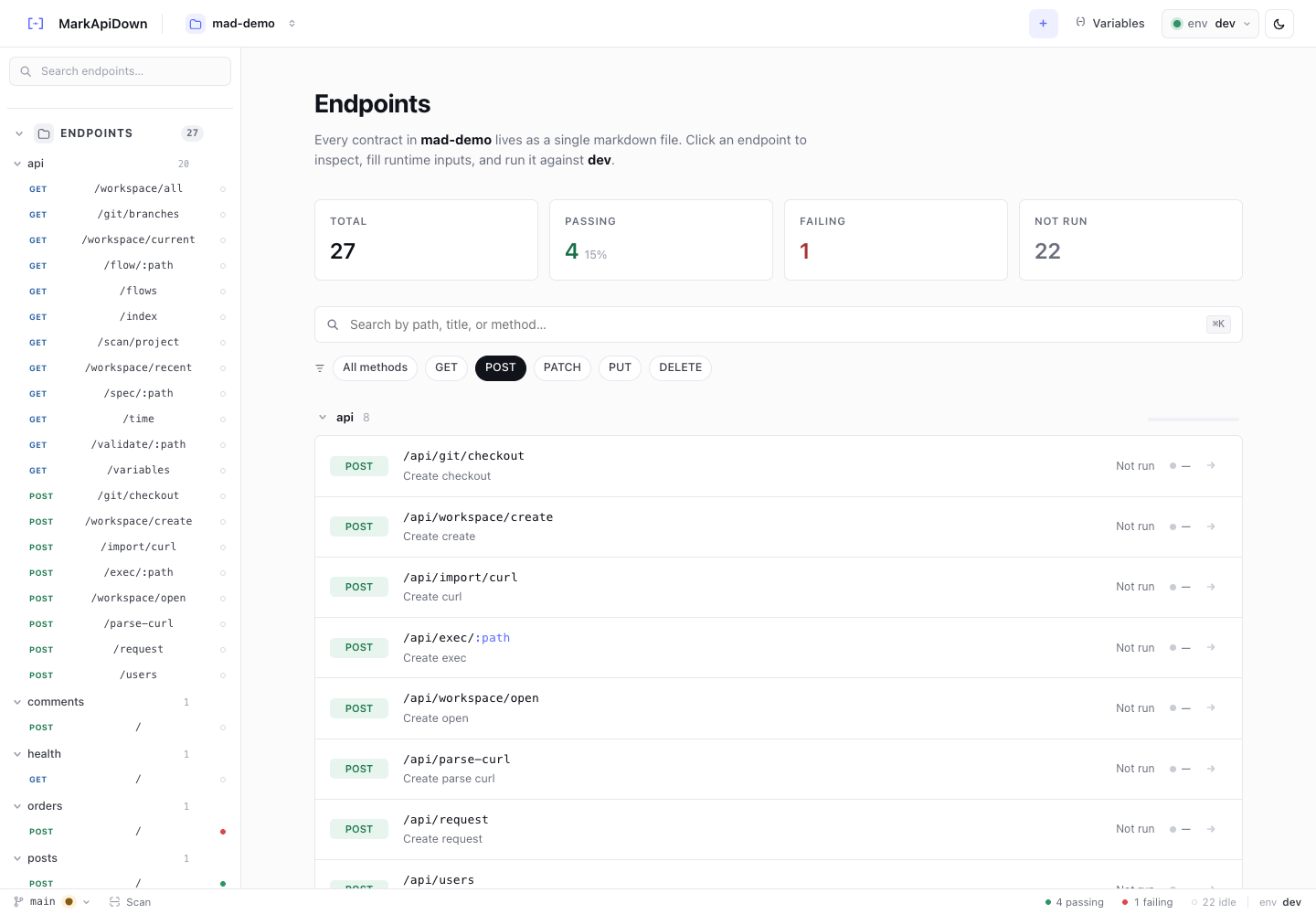
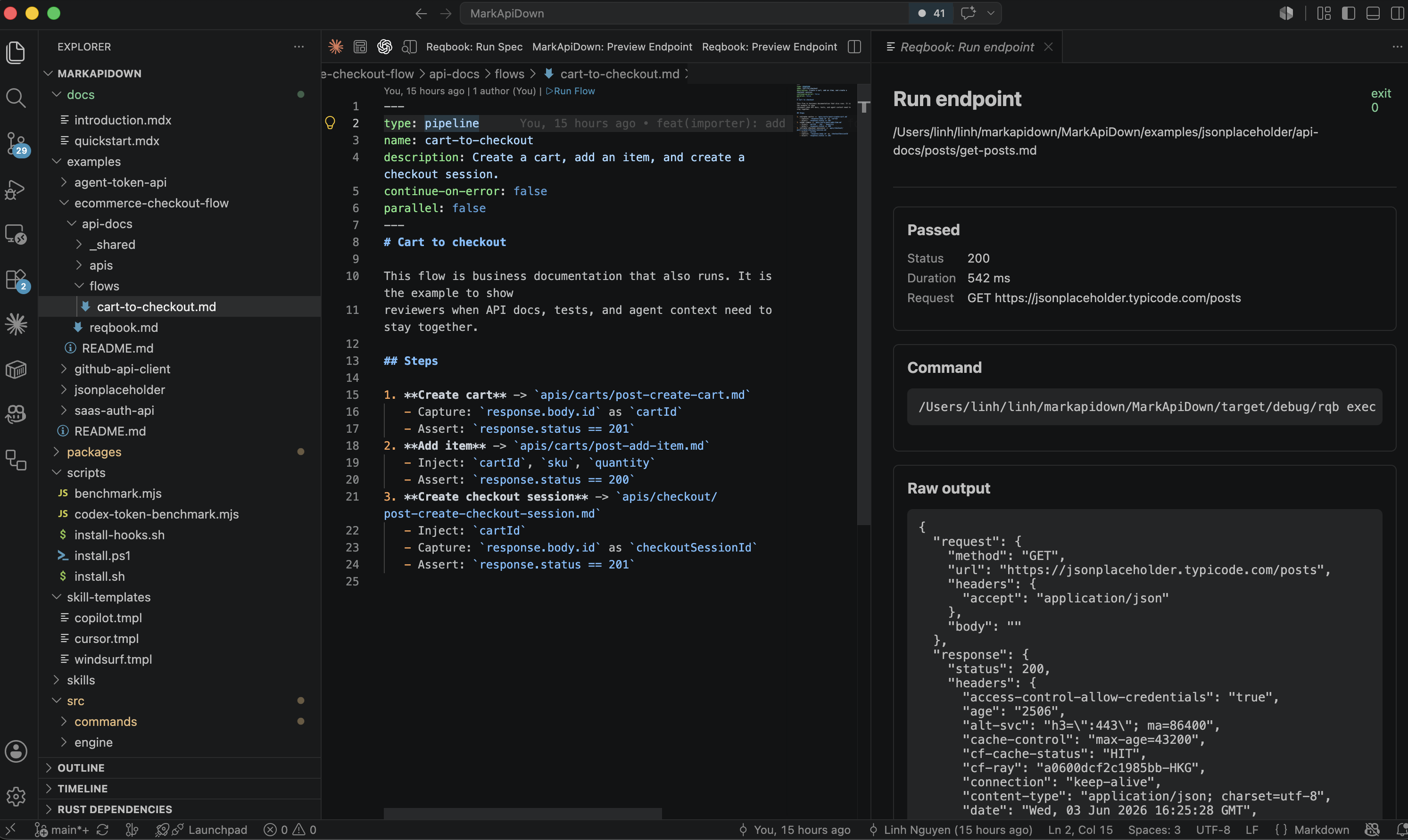
Reqbook stores docs, requests, tests, flows, and coding-agent context as runnable Markdown files in the repo. The browser UI, VS Code extension, CLI, CI commands, and agent tooling all work from the same files instead of maintaining separate sources of truth.
A repo can stay simple:
api-docs/
  reqbook.md
  _shared/env.md
  apis/
    auth/post-login.md
    users/post-create-user.md
    checkout/post-create-session.md
  flows/
    signup-login-profile.md
    cart-checkout.md
Each endpoint file owns one contract. Each flow file owns a multi-step workflow that captures values from one request and injects them into the next step.
1. Create cart
   - Capture: response.body.id as cartId
2. Add item
   - Inject: cartId, sku, quantity
3. Create checkout session
   - Inject: cartId
   - Capture: response.body.id as checkoutSessionId
4. Get checkout session
   - Inject: checkoutSessionId
That is easier to review than a disconnected pile of request tabs. It is also easier for a local tool, CI job, or coding agent to execute consistently.
To try the workflow, start with Install Reqbook and run:
curl -fsSL https://markapidown.net/install.sh | sh
rqb init --yes
rqb validate api-docs/
rqb serve
API notebook versus traditional API documentation
The notebook pattern does not replace every API artifact. It gives the daily implementation workflow a smaller source of truth.
| Need | Better fit |
|---|---|
| Broad public schema reference | OpenAPI or hosted API docs |
| Manual exploration across many endpoints | GUI-first API client |
| Repo review of behavior changes | API workflow notebook |
| CI checks for critical user journeys | Runnable notebook flows |
| Agent context before source edits | Notebook files near the code |
Teams moving from a hosted collection workflow can still keep that workflow for exploration. The stronger question is where the source of truth should live when behavior changes. If the team wants contract diffs in Git, local execution, and agent-readable context, a notebook-style workflow is a better center of gravity.
For a product-category comparison, see Reqbook vs Postman.
Make the notebook easy for answer engines to quote
SEO and GEO work better when the article and the underlying docs answer concrete questions directly. The same rule applies to API notebooks.
Write sections that can stand on their own:
- “What does this endpoint do?”
- “What request should I send?”
- “What response means success?”
- “Which variables are required?”
- “What should fail?”
- “Which workflow depends on this endpoint?”
Use stable names. Keep examples close to assertions. Avoid hiding the important behavior in a screenshot, chat transcript, or tool-only state. If the file is the source of truth, a search engine, answer engine, teammate, and coding agent can all point to the same contract.
That is the practical GEO benefit: the API behavior is easier to retrieve, summarize, and verify because it is written as a direct answer in a repo-native file.
When not to use the notebook pattern
The API workflow notebook pattern is not the right default for every team.
It may be the wrong first choice when:
- the team mainly wants a mature GUI client for manual exploration,
- hosted collaboration and governance are more important than repo ownership,
- the API surface is extremely small and a few smoke tests are enough,
- nobody needs the files to double as documentation or agent context.
The tradeoff is discipline. A notebook file takes more care than saving a request tab. In return, it gives the team a contract that can be read, reviewed, executed, and reused by agents.
A practical adoption path
Do not migrate every endpoint at once. Start with one workflow that already causes review noise or stale examples.
Good first targets are:
- signup, login, and profile fetch,
- create cart, add item, and checkout,
- create workspace, invite member, and list members,
- create webhook endpoint and verify callback behavior.
Then keep the first loop tight:
- Write or import the endpoint contracts.
- Add the expected response and basic assertions.
- Put secrets outside committed Markdown.
- Run the endpoint locally.
- Add the most important flow to CI after it is stable.
That first workflow is where the pattern proves itself. If the notebook makes review clearer and cuts down rediscovery, expand from there.
The useful standard is simple: a developer can read it, a reviewer can diff it, CI can run it, and a coding agent can use it before changing code.